远程办公最大的挑战,往往不是自律,而是沟通与效率。过去两年我全职远程工作,尝试过几十款效率工具,最终发现,真正能让我每天至少省下2-3小时的,是一套远程工作AI工具组合。
这篇文章会分享5款我经过长期实测的远程工作AI工具,它们分别解决会议记录、邮件写作、任务管理、日程安排和团队协作中的核心痛点。
远程工作的效率痛点
远程在家办公时,我遇到的主要问题包括:
- 会议一个接一个,没有时间整理纪要
- 邮件和即时消息频繁打断,注意力严重碎片化
- 任务优先级不清晰,不知道先做什么
- 跨时区协作流程长,沟通成本极高
这些重复性、事务性的工作,占用了大量本可以用于思考的时间。远程工作AI工具的价值,正是把这些机械劳动自动化,让我能把精力集中在真正需要判断、创造和决策的环节。
5款实测有效的远程工作AI工具
以下每款工具,我都至少连续使用了3个月,并且已经在团队中实际推广。无需追求“工具全家桶”,选对场景,比买多更重要。
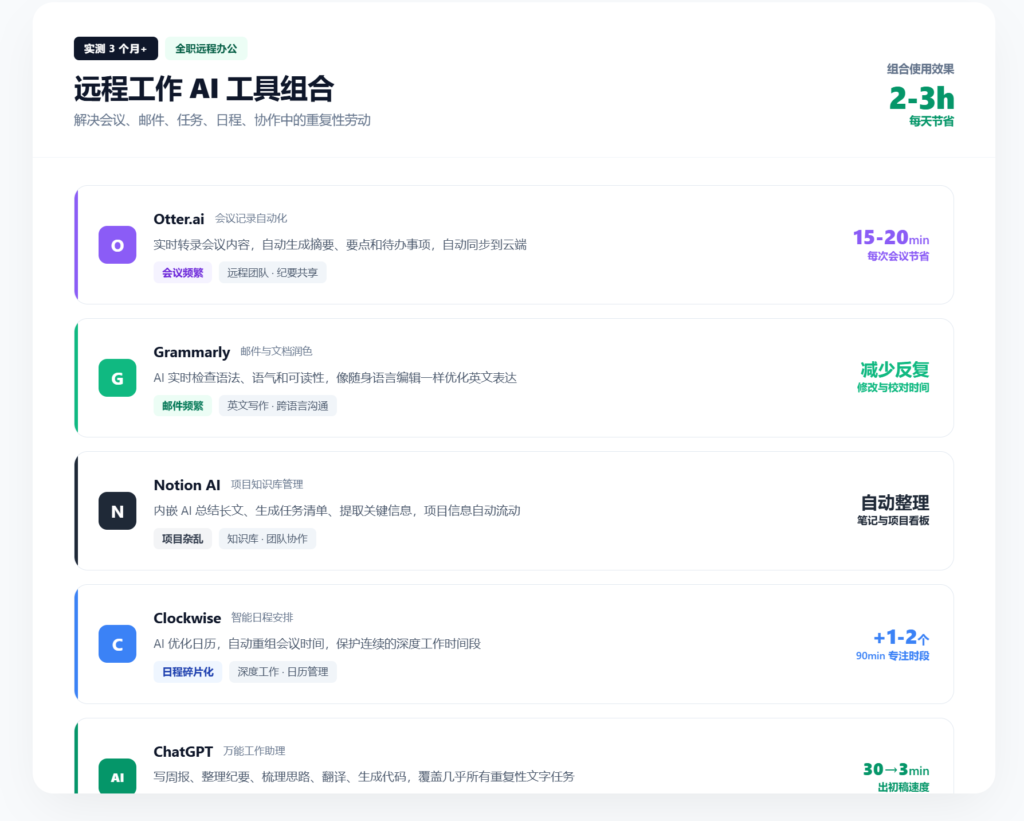
1. Otter.ai:会议记录自动化 https://otter.ai/
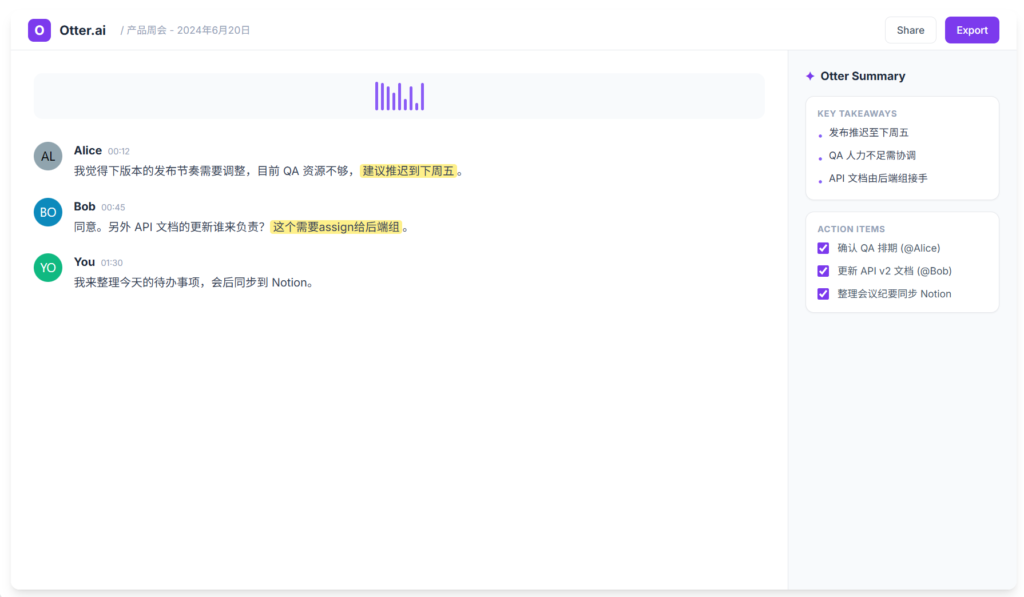
Otter.ai 能够实时转录会议内容,自动生成摘要、要点和待办事项。它支持Zoom、Google Meet等主流会议平台,会后内容自动同步到云端,方便检索。
- 适合人群: 会议频繁、会后需要共享记录的远程团队
- 节省时间: 每次会议减少15-20分钟的整理工作
2. Grammarly:邮件与文档润色 https://www.grammarly.com/
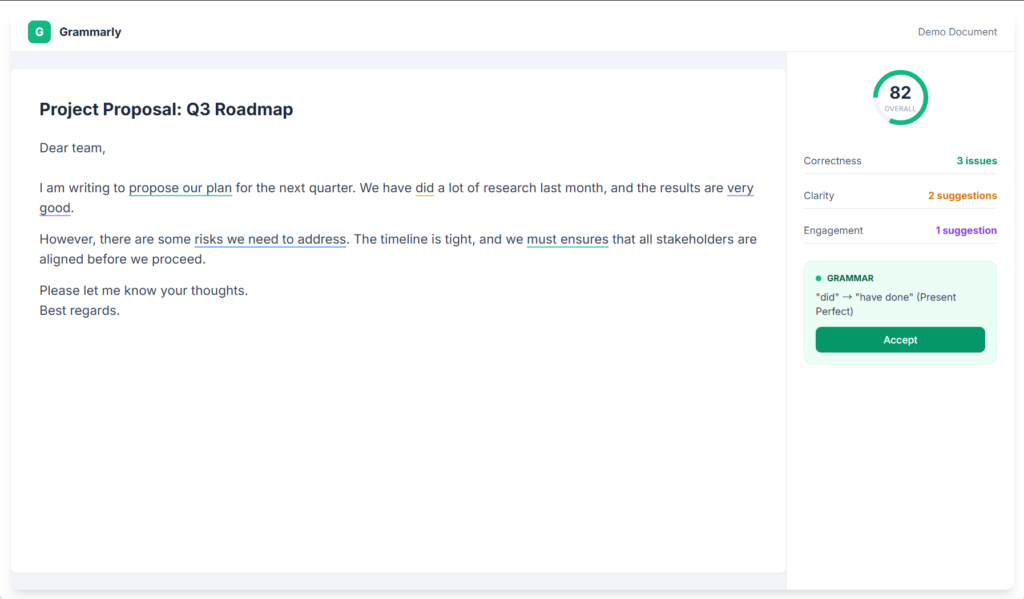
Grammarly 的AI写作助手可以实时检查语法、语气和可读性。对经常写英文邮件的远程工作者来说,它几乎等于一位随身语言编辑。
- 适合人群: 需要高频撰写英文邮件、文档或多语言沟通的远程工作者
- 节省时间: 减少邮件来回修改,专业度明显提升
3. Notion AI:项目知识库管理 https://www.notion.com/
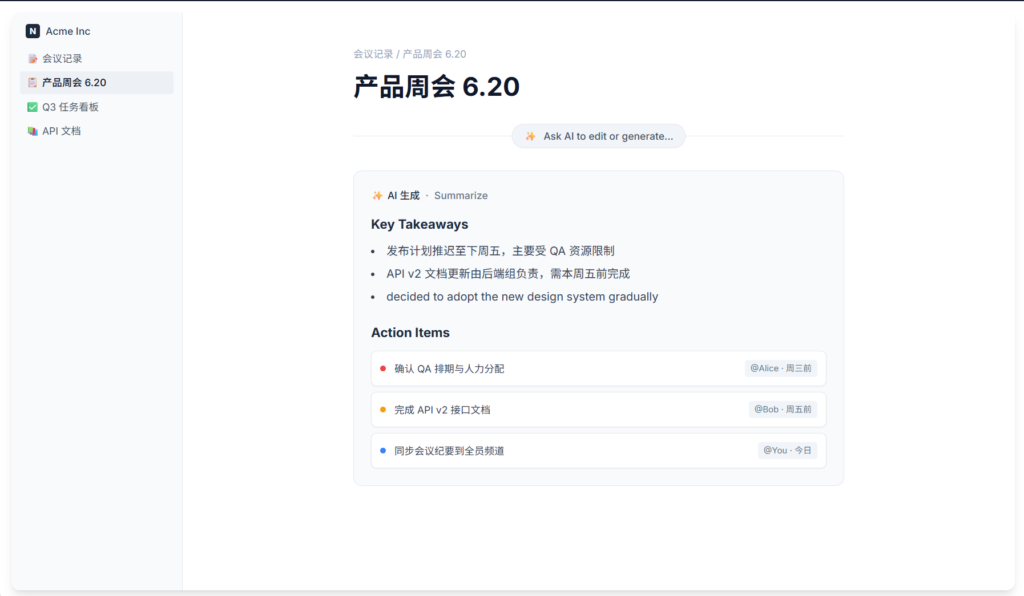
Notion AI 内嵌在笔记和文档中,可以直接总结长文、生成任务清单、提取关键信息。与团队共享的Notion空间结合,项目信息流动更顺畅。
- 适合人群: 用Notion统一管理项目文档、知识库的团队
- 节省时间: 无需手动整理会议笔记,知识库自动更新
4. Clockwise:智能日程安排 https://getclockwise.com/
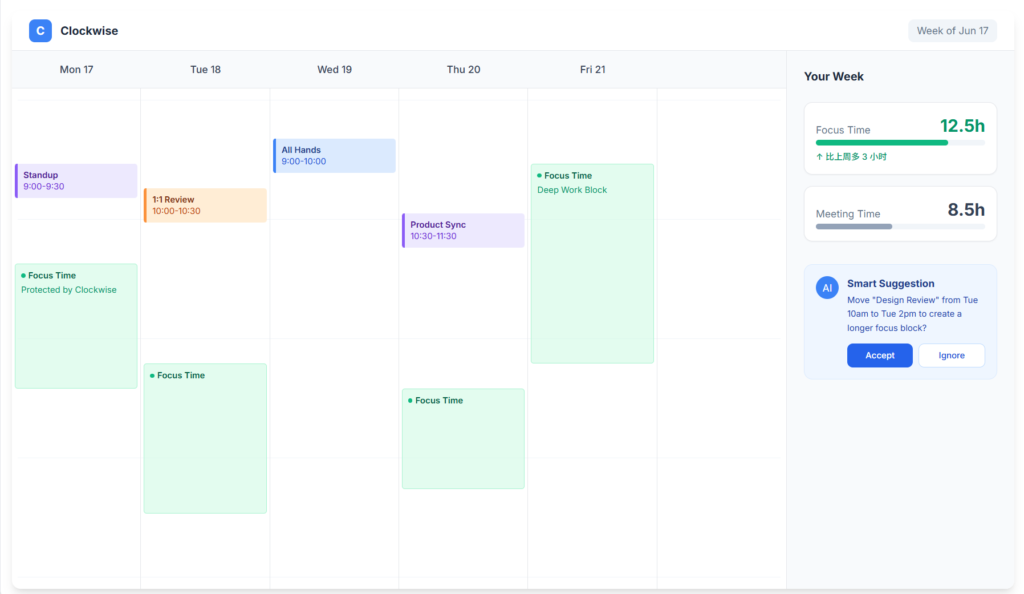
Clockwise 使用AI优化日历,自动重组会议时间,减少碎片化安排,同时保护连续的深度工作时间段。
- 适合人群: 日程紧张、需要大块时间进行深度工作的远程工作者
- 节省时间: 每天可多获得1-2个不被打扰的90分钟专注时段
5. ChatGPT:万能助理 https://chatgpt.com
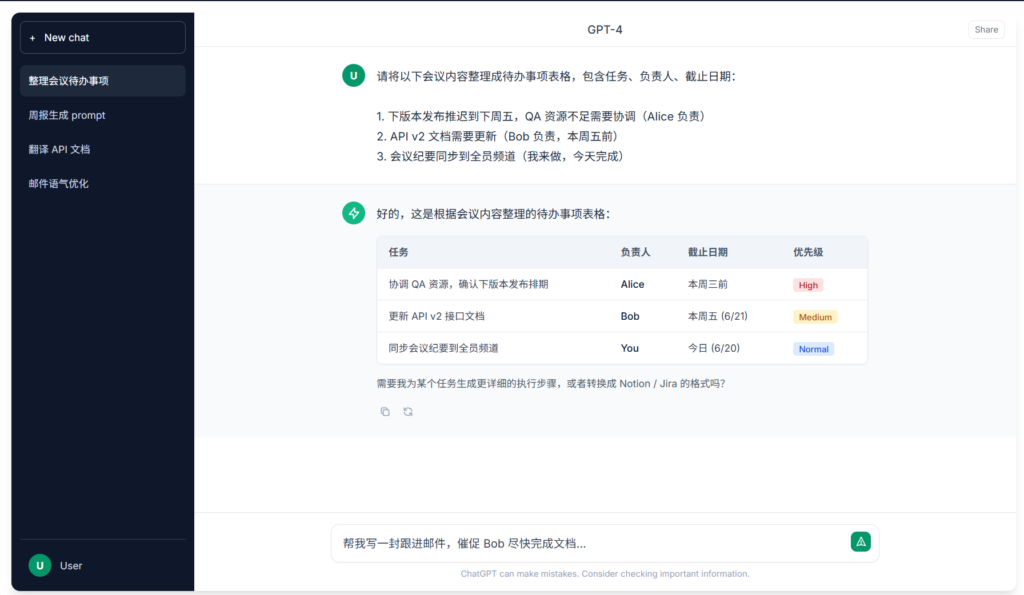
ChatGPT 是我使用频率最高的远程工作AI工具。写周报、整理会议纪要、梳理思路、写代码、翻译文档,几乎所有重复性文字任务都可以交给它。
- 适合人群: 几乎所有远程工作场景
- 节省时间: 原本30分钟的文字工作,可以压缩到3分钟完成初稿
如何组合使用这些远程工作AI工具
单独使用任何一款工具,效果都有限;把它们组合起来,才能形成完整的工作流。我的日常流程如下:
- 早上: 用 Clockwise 查看优化后的日程,确认当天深度工作时段
- 会议中: 打开 Otter.ai 自动记录,会后自动生成摘要
- 会后: 用 ChatGPT 将摘要整理成结构化周报或行动清单
- 整理: 在 Notion AI 中把行动清单归入项目看板,更新团队知识库
- 写作: 写英文邮件时用 Grammarly 检查语法、语气与可读性
这套组合,让我每天多出2-3小时用于深度思考和核心项目,远程办公效率超过了在办公室的时候。
远程工作AI工具的选型建议
选择远程工作AI工具时,不要贪多。建议遵循“一个场景一个工具”的原则,先解决最痛的切入点,再逐步扩展:
- 会议多 → Otter.ai
- 写邮件多 → Grammarly
- 项目杂 → Notion AI
- 日程乱 → Clockwise
- 通用需求 → ChatGPT
从最需要改善的一个环节开始,熟练后再加入下一款工具,不要让工具矩阵本身变成新的负担。
结语
远程工作AI工具并不是为了替代人,而是把人从机械劳动中解放出来,让你重新掌握自己的时间和注意力。找到适合自己工作流的组合,远程办公的效率完全可以超过办公室。
希望这5款实测有效的远程工作AI工具,能帮你构建真正高效、可持续的远程工作方式。如果你希望横向对比更多 AI 工具,可以查看我持续更新的【AI 工具汇总清单】https://digaitool.com/ai-tools/
The biggest challenge of remote work isn’t self-discipline; it’s communication and efficiency. Over the past two years, I’ve worked fully remote and tried dozens of productivity tools. Eventually, I found that the right combination of remote work AI tools can genuinely save me 2-3 hours every single day.
This article shares five remote work AI tools I’ve personally tested for months. They solve the core pain points of meeting notes, email writing, task management, scheduling, and team collaboration. You’ll learn what each tool does, my real experience with it, its pros and cons, and how to combine them effectively.
Remote Work Efficiency Pain Points
When working from home, these are the main problems I faced:
- Too many meetings with no time to write summaries
- Constant email and message interruptions killing focus
- Unclear task priorities
- Cross-time-zone collaboration difficulties
These repetitive, administrative tasks eat up the time that should be spent on creative and strategic thinking. The value of remote work AI tools is to automate this mechanical work so I can focus on what truly matters.
Tested 5 Remote Work AI Tools
I’ve used each tool for at least three months continuously and promoted them within my team. Remember, no single tool is a silver bullet—choosing the right one for your specific scenario is more important than buying more.
1. Otter.ai: Automated Meeting Notes https://otter.ai/
Otter.ai transcribes meetings in real time and automatically generates summaries, key points, and action items. It supports Zoom, Google Meet, and other major platforms. After each meeting, everything syncs to the cloud for easy search.
My experience: For weekly team meetings, client calls, and interviews, I let Otter record. In the past, I desperately took notes and still missed important points. Now I spend just a few minutes scanning the summary and copying action items to my project management tool.
Pros: Accurate English transcription, speaker identification, and a generous free tier. Cons: Weak Chinese support; monthly limits on free plan; requires stable internet.
Best for: Remote teams with frequent meetings.
Time saved: 15-20 minutes per meeting.
2. Grammarly: Email and Document Polish https://www.grammarly.com/
Grammarly’s AI writing assistant checks grammar, tone, and readability instantly. For remote workers who write in English frequently, it’s like having a personal language editor.
My experience: After sending a client email with a small grammatical error, I was embarrassed. From then on, every English email goes through Grammarly first. It doesn’t just fix grammar; it flags overly long sentences and advises on tone.
Pros: Browser plugin covers everything; tone detection is practical. Cons: Premium features require subscription; no help for Chinese.
Best for: Anyone who writes English emails or documents regularly.
Time saved: Significantly fewer email revisions and improved professionalism.
3. Notion AI: Project Knowledge Base Management https://www.notion.com/
Notion AI is embedded directly in notes and documents. It can summarize long content, generate task lists, and extract key information. Combined with a shared team Notion space, project information flows smoothly.
My experience: Our project materials live in Notion. Before, I manually sorted notes, added tags, and assigned owners. Now I just select a meeting transcript and ask Notion AI to generate tasks categorized by owner. It also helps me create onboarding summaries for new hires.
Pros: Deep integration with Notion; very efficient for organizing information. Cons: Requires a Notion-centric workflow; AI features are paid.
Best for: Teams that use Notion to manage projects and documentation.
Time saved: No more manual note organization; knowledge base stays updated.
4. Clockwise: Intelligent Scheduling https://getclockwise.com/
Clockwise uses AI to optimize your calendar automatically. It minimizes meeting fragmentation and protects deep work blocks.
My experience: I was tired of five short meetings a day. With Clockwise, I set a rule to protect Tuesday and Thursday afternoons for deep work. The tool automatically moves meetings to other slots and groups related ones together, giving me at least one 90-minute uninterrupted block daily.
Pros: Automates calendar optimization. Cons: Best when the whole team uses it; Outlook support isn’t as good as Google Calendar.
Best for: Busy remote workers who need long, focused work sessions.
Time saved: 1-2 extra 90-minute focus blocks per day.
5. ChatGPT: The Universal Assistant https://chatgpt.com
ChatGPT is the remote work AI tool I use the most. Writing weekly reports, making meeting summaries, brainstorming, coding, translating—all repetitive writing tasks can be delegated to it.
My experience: Every Friday, I collect meeting notes from Otter.ai, project progress from Notion, and key emails, then give them to ChatGPT to generate a structured weekly report. This used to take two hours; now it takes minutes. I also use it to explain unfamiliar code snippets.
Pros: Extremely versatile; powerful when you craft good prompts. Cons: Free version can be slow; you must verify outputs; don’t upload sensitive data.
Best for: Almost every remote work scenario.
Time saved: A 30-minute writing task can be completed in 3 minutes.
How to Combine These Remote Work AI Tools
Using one tool alone has limited effect; the real magic comes from combining them into a workflow. Here’s my daily routine:
- Morning: Check my optimized schedule in Clockwise and identify deep work blocks.
- During meetings: Use Otter.ai to record automatically and generate summaries.
- After meetings: Use ChatGPT to structure the summary into a weekly report or action list.
- Organizing: Use Notion AI to move action items into project boards and update the team knowledge base.
- Writing: Use Grammarly to check grammar and tone when writing English emails.
This combination gives me 2-3 extra hours for deep thinking and core projects every day. My remote productivity now exceeds what I had in the office.
Recommendations for Choosing Remote Work AI Tools
Don’t over-tool. Follow the principle of “one scenario, one tool” and start with your most painful point:
- Too many meetings → Otter.ai
- Too many emails → Grammarly
- Messy projects → Notion AI
- Chaotic schedule → Clockwise
- General needs → ChatGPT
Start with one tool, master it, then add another. Don’t let the tool matrix become a new burden.
Frequently Asked Questions
Do these tools cost money? Most have free tiers, but advanced features require subscriptions. Test the free versions first.
Are these tools safe? Be careful with confidential business data. Cloud tools like Otter.ai and ChatGPT may store data. For sensitive information, use enterprise-approved solutions.
Can they replace a human assistant? No. AI tools save time but can’t understand complex nuances or make judgment calls. They’re smart helpers, not replacements.
Do I need to be good at English? Grammarly is for English only, and Otter.ai’s Chinese support is weak. ChatGPT and Notion AI work in Chinese but perform better in English. If your team communicates in Chinese, prioritize ChatGPT and Notion AI.
Conclusion
Remote work AI tools aren’t there to replace you. They free you from mechanical labor and let you reclaim your time and attention. Find the right combination for your workflow, and remote work can be more productive than office work.
I hope these five tested remote work AI tools help you build a truly efficient and sustainable way of working remotely. What’s your favorite remote work AI tool? Share in the comments!