AI 代码生成工具已经从”炫技”变成了”生产力刚需”。但市面上产品太多,哪个真正好用?
我实测了 5 款主流 AI code generator,从代码质量、生成速度、价格、语言支持 4 个维度对比,给你一个直接的答案。
什么是 AI Code Generator?
AI code generator 是一种工具,能根据你的自然语言描述或代码上下文,自动生成代码片段、函数甚至整个模块。
典型使用场景:
- 输入”写一个登录表单组件” → 它生成 React/Vue 代码
- 输入”实现用户注册 API” → 它生成后端逻辑
- 选中一段代码 → 它帮你重构或添加注释
我实测的 5 款工具
详细对比可以参考站内对比工具:https://digaitool.com/ai-tool-comparator/
| 工具 | 定位 | 价格 |
| GitHub Copilot | VS Code 插件,老牌选手 | $10/月 |
| Cursor IDE | AI 原生 IDE,新一代选手 | $20/月 |
| Tabnine | 企业级代码助手 | 免费/Pro $12/月 |
| Codeium | 免费的 Copilot 替代品 | 免费 |
| Amazon CodeWhisperer | AWS 生态专属 | 免费 |
对比维度 1:代码生成质量
GitHub Copilot https://github.com/features/copilot
- 优点:补全快,适合重复性代码
- 缺点:长代码生成质量一般
- 评分:⭐⭐⭐⭐
Cursor IDE https://cursor.com/
- 优点:能生成整个函数/类,上下文理解强
- 缺点:偶尔过度发挥
- 评分:⭐⭐⭐⭐⭐
Tabnine https://www.tabnine.com/
- 优点:生成的代码更”标准”,适合企业
- 缺点:创意性代码较弱
- 评分:⭐⭐⭐⭐
Codeium
- 优点:免费且质量不错
- 缺点:上下文理解不如 Copilot
- 评分:⭐⭐⭐
Amazon CodeWhisperer
- 优点:AWS API 调用代码生成很准
- 缺点:非 AWS 场景表现一般
- 评分:⭐⭐⭐
对比维度 2:生成速度
| 工具 | 响应速度 | 说明 |
| Copilot | 极快(<100ms) | 几乎零延迟 |
| Cursor | 快(100-300ms) | 偶尔稍慢 |
| Tabnine | 快(200-500ms) | 企业部署可能更慢 |
| Codeium | 中等(300-600ms) | 免费服务,可接受 |
| CodeWhisperer | 中等(400-700ms) | AWS 服务器响应 |
对比维度 3:语言与框架支持
| 工具 | 支持语言 | 框架支持 |
| Copilot | 20+ 语言 | React、Django、Spring 等主流框架 |
| Cursor | 20+ 语言 | 同上,且能理解项目级框架 |
| Tabnine | 30+ 语言 | 企业框架支持强 |
| Codeium | 20+ 语言 | 主流框架够用 |
| CodeWhisperer | 15+ 语言 | AWS 框架支持强 |
对比维度 4:价格与性价比
| 工具 | 免费版 | 付费版 | 适合人群 |
| Copilot | 无 | $10/月 | 全职开发者 |
| Cursor | 有(限次数) | $20/月 | 重度 AI 用户 |
| Tabnine | 有(基础) | $12/月 | 企业团队 |
| Codeium | ✅ 完全免费 | 无 | 预算有限者 |
| CodeWhisperer | ✅ 免费 | 无 | AWS 用户 |
我的使用建议
如果你用 VS Code
- 首选:Copilot(稳定)或 Codeium(免费)
如果你愿意换编辑器
- 首选:Cursor IDE(功能最强)
如果你是企业团队
- 首选:Tabnine(安全、可控)
如果你深度使用 AWS
- 首选:CodeWhisperer(AWS 场景优化)
2026 年趋势预测
- Cursor 会继续抢 Copilot 市场份额 → 上下文理解是核心差异
- 免费工具会越来越少 → AI 成本高,厂商需要盈利
- 企业级需求增长 → 数据安全、私有部署成为刚需
总结
如果只推荐一个:
- 个人开发者 → Cursor IDE
- 预算有限 → Codeium(免费)
- 企业团队 → Tabnine
AI code generator 已经不是”可选项”,而是”必备工具”。选一个适合你的,让 AI 成为你的编程搭档。
The best AI code generator is no longer a novelty—it is a daily productivity essential. But with so many options in 2026, which one actually delivers?
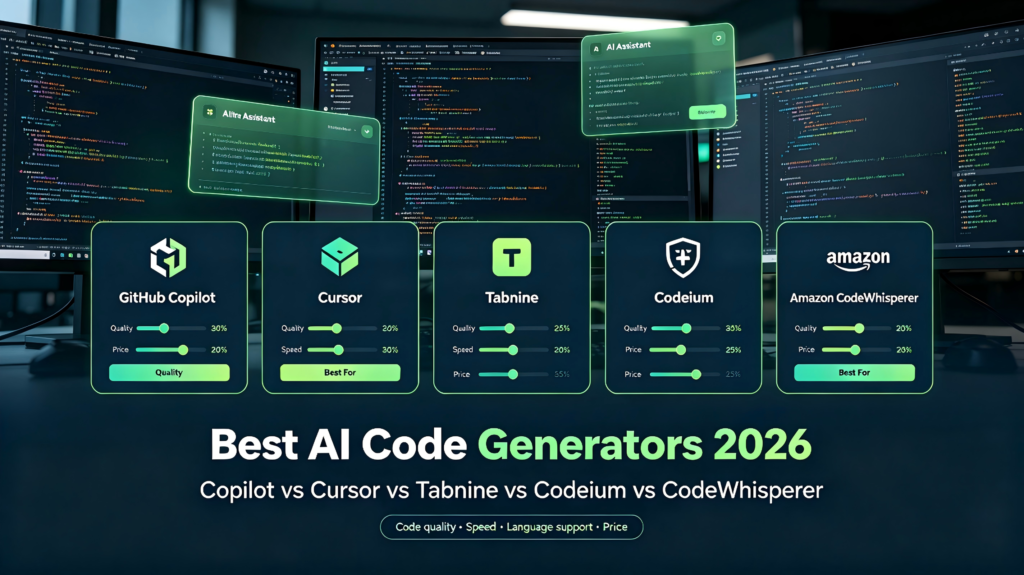
We tested the five leading AI code generators—GitHub Copilot, Cursor, Tabnine, Codeium, and Amazon CodeWhisperer—across four dimensions: code quality, generation speed, language support, and price. This is the short answer.
What Is an AI Code Generator?
An AI code generator accepts natural language prompts or existing code context and automatically produces code snippets, functions, or entire modules. Typical use cases include:
- Typing “build a login form component” → receiving production-ready React/Vue code
- Typing “create a user registration API” → receiving backend logic
- Selecting legacy code → getting an instant refactor with comments
5 AI Code Generators at a Glance
| Tool | Quality | Speed | Price | Best For |
|---|---|---|---|---|
| GitHub Copilot | ⭐⭐⭐⭐ | <100ms | $10/mo | Daily coding |
| Cursor | ⭐⭐⭐⭐⭐ | 100-300ms | $20/mo | Power users |
| Tabnine | ⭐⭐⭐⭐ | 200-500ms | $12/mo | Enterprise |
| Codeium | ⭐⭐⭐ | 300-600ms | Free | Budget users |
| CodeWhisperer | ⭐⭐⭐ | 400-700ms | Free | AWS devs |
Code Quality Breakdown
- Cursor: Best overall. Generates entire functions and classes with strong project-level context understanding. Occasionally over-engineers.
- Copilot: Fastest autocomplete for boilerplate and repetitive patterns. Weak on long-form generation.
- Tabnine: Most “standard” output—great for enterprise compliance, less creative.
- Codeium: Surprisingly good for free, but context awareness lags behind Copilot.
- CodeWhisperer: Excellent for AWS API calls; mediocre outside the AWS ecosystem.
Language & Framework Support
| Tool | Languages | Framework Notes |
|---|---|---|
| Copilot | 20+ | React, Django, Spring, etc. |
| Cursor | 20+ | Understands project-level architecture |
| Tabnine | 30+ | Strong enterprise framework support |
| Codeium | 20+ | Mainstream frameworks covered |
| CodeWhisperer | 15+ | Optimized for AWS services |
Which AI Code Generator Should You Choose?
- VS Code loyalist: Copilot for stability; Codeium if you want zero cost.
- Willing to switch editors: Cursor is the most powerful AI-native IDE available.
- Enterprise / team: Tabnine for security, privacy, and standardized output.
- Deep in AWS: CodeWhisperer is purpose-built for your stack.
3 Trends Shaping 2026
- Context is king: Cursor will keep eating Copilot’s market share because project-level understanding matters more than line-level autocomplete.
- Free tiers shrinking: Running inference is expensive. Expect more paywalls and tighter limits on free plans.
- Enterprise deployment: On-premise and private-cloud hosting will become standard requirements for security-conscious teams.
FAQ
Is GitHub Copilot still worth it in 2026?
Yes, if you want the most stable, low-latency autocomplete inside VS Code and don’t need full-file generation.
Can I use Cursor for free?
Cursor offers a limited free tier with monthly quotas. Heavy users will need the $20/month Pro plan.
What is the best free AI code generator?
Codeium is the strongest fully free option. For AWS developers, CodeWhisperer is also free.
Final Verdict
If we could pick only one AI code generator:
- Solo developers: Cursor
- Budget-first: Codeium
- Teams: Tabnine
An AI code generator is no longer optional—it is part of the standard dev toolkit. Pick one that fits your editor, budget, and privacy needs, then let it handle the boilerplate while you focus on architecture.
Compare all five side-by-side with filters in our AI Tool Comparator.