会用 Claude 的人很多,但真正把 Claude Artifacts 这个功能玩明白的人不多。它是 Claude 独有的一项能力——你说一句话,它不只是回复文字,而是直接生成一个能用的网页小应用,并且右侧实时预览,改到满意为止。

这篇我手把手带你做出 3 个能真实使用的Claude Artifacts 小工具,全程不需要你会写代码。
一、Claude Artifacts 是什么?和普通对话差在哪
普通对话里,Claude 只能「说」;开了 Artifacts,它能「做」。
当你让它写代码、做表格、画图、写长文档时,Claude 会把这些内容放进一个独立的预览窗口,你能在右边直接看到成品的样子,而不是一堆代码文本。改起来也方便——你提一句「把背景换成浅色」,它就改一版给你看。
一句话理解:Artifacts 让 Claude 从「写字的」变成了「做东西的」。
怎么开启:在 Claude 网页版的对话输入框附近,找到 Artifacts 的开关(新版本通常默认开启)。如果没反应,去设置里把「Artifacts」打开即可。
二、3 个可复刻的案例(直接复制提示词)
下面三个案例,你只要把提示词原样粘给 Claude,就能得到一个能用的工具。做一遍你就知道 Artifacts 的威力了。
案例 1:待办清单(Todo List)
提示词:
帮我做一个待办清单网页应用。要求:能输入任务、点「添加」后进入列表、每个任务前有复选框可以勾选(勾选后文字加删除线)、能删除单个任务、能一键清空全部。界面简洁干净,用中文。
效果:一个能增删、勾选的待办清单,随开随用,数据存在本地浏览器里,刷新不丢。
案例 2:倒计时器
提示词:
帮我做一个倒计时器网页。要求:可以输入分钟和秒数,点「开始」开始倒计时,有暂停和重置按钮,时间到 0 时弹出提示并播放提示音。数字要显示得大而清晰。
效果:一个能定时的倒计时器,工作学习时用来做「番茄钟」很合适。
案例 3:随机抽签 / 抽奖
提示词:
帮我做一个随机抽签网页。要求:可以在文本框里输入名单(每行一个名字),点「抽一个」随机高亮显示抽中的名字,抽过的名字可以勾选排除,避免重复抽中。界面喜庆一点,适合年会抽奖用。
效果:一个能输入名单、随机抽取的抽签工具,团建、课堂点名、年会抽奖都能用。
三、提示词拆解:为什么这么写有效
上面三个提示词都遵循了同一个结构,你以后自己做工具也能套:
- 说清楚「做什么」——「待办清单」「倒计时器」「随机抽签」,一句话点明类型;
- 列具体功能——用「能……、点……后……、可以……」把交互一件件说全;
- 补视觉要求——「界面简洁」「数字大」「喜庆一点」,让成品不丑。
记住这个公式:类型 + 功能清单 + 视觉要求。缺任何一项,出来的东西都可能差强人意。
四、常见问题与改法
1. 生成的应用不显示预览? 检查 Artifacts 是否开启;或者换个新对话重试。有时长对话上下文太杂,会导致它退回普通回复。
2. 功能缺了一个、或点不动? 不要自己改代码,直接跟它说,比如「我点删除没反应,帮我修一下」「再给我加一个”按优先级排序”的功能」。Claude 能理解自然语言,自动改代码。
3. 怎么保存下来用? Artifacts 窗口右下角有「发布 / 复制 / 下载」选项。可以复制代码贴到本地 HTML 文件,双击就能用;也可以直接分享链接给别人。
4. 做的工具刷新就没了? Artifacts 里的应用不依赖对话保存,刷新对话后 Artifacts 还在。但要注意:免费版的 Artifacts 额度有限,重度使用建议订阅 Claude Pro。
写在最后: Claude Artifacts
Artifacts 最妙的地方在于:它把「编程」这个门槛拆掉了。以前你想做个待办清单,得学 HTML/CSS/JS;现在描述清楚需求,30 秒出成品。
想深入比较 Claude 和 ChatGPT 谁更适合你,可以看我的 Claude 实测 和 ChatGPT 实测。如果你对「用 AI 建站/做工具」感兴趣,我还写了一份 AI 建站工具实测,从选型到上线讲得很细,配合 Artifacts 一起用,你能更快做出自己的东西。
补充一下,Claude官网
A lot of people use Claude, but far fewer have really figured out Claude Artifacts — a feature unique to Claude. Instead of just replying with text, it lets you describe something in one sentence and Claude builds a working mini web app for you, with a live preview on the right so you can tweak it until it’s right.
In this guide I’ll walk you through building 3 genuinely useful little tools — no coding required.
What Is Claude Artifacts?
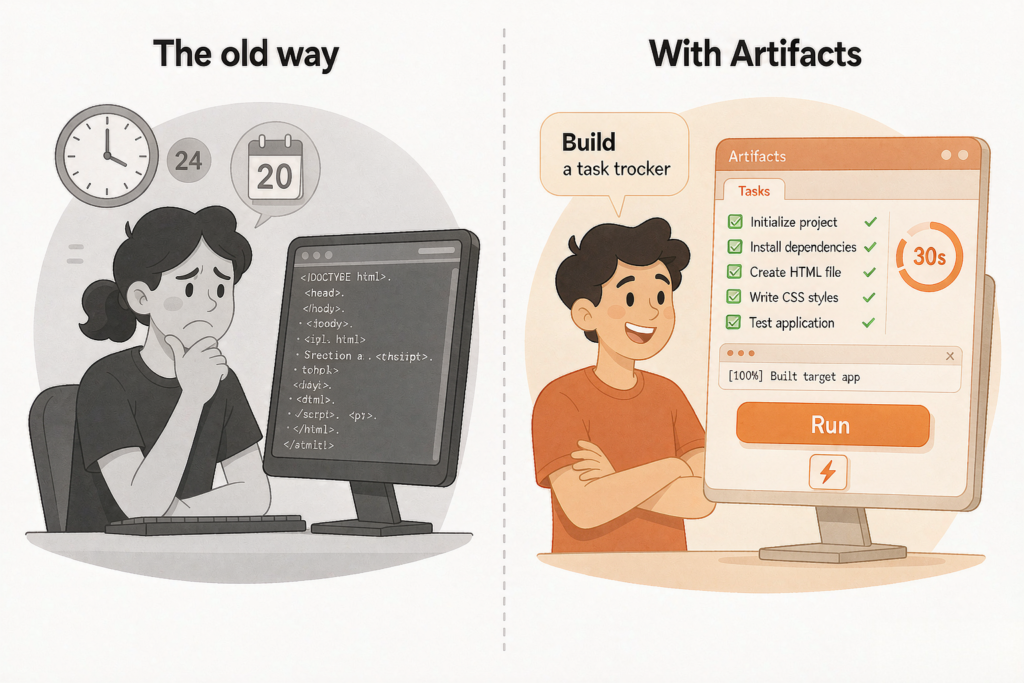
In a normal conversation, Claude can only “talk.” With Artifacts turned on, it can “build.”
When you ask it to write code, make a table, draw a diagram, or draft a long document, Claude places that content into a separate preview window so you can see the finished result on the right instead of a wall of code. Making changes is easy too — say “switch the background to a light color” and it shows you a revised version.
In one sentence: Artifacts turns Claude from a “writer” into a “maker.”
How to turn it on: On the Claude web app, find the Artifacts toggle near the input box (newer versions have it enabled by default). If nothing happens, go to settings and turn on “Artifacts.”
3 Copy-Paste Examples
Paste any of these three prompts into Claude verbatim and you’ll get a working tool. Build one and you’ll feel Artifacts’ power immediately.
Example 1: To-Do List
Prompt:
Build me a to-do list web app. Requirements: I can type a task and click “Add” to put it into a list, each task has a checkbox I can tick (ticking adds a strikethrough to the text), I can delete a single task, and there’s a button to clear everything at once. Keep the interface clean and simple.
Result: A to-do list where you can add, delete, and tick off tasks. Data is stored in your local browser, so it survives a refresh.
Example 2: Countdown Timer
Prompt:
Build me a countdown timer web page. Requirements: I can enter minutes and seconds, click “Start” to begin the countdown, with pause and reset buttons, and when it reaches 0 it shows an alert and plays a sound. The numbers should be large and clear.
Result: A timer you can set — perfect as a Pomodoro clock for work or study.
Example 3: Random Name Picker
Prompt:
Build me a random name picker web page. Requirements: I can enter a list of names in a text box (one name per line), click “Pick One” to randomly highlight a selected name, and tick names that have already been picked to exclude them from future draws. Make the interface festive, suitable for a party raffle.
Result: A name picker for team activities, classroom roll calls, or year-end party raffles.
Why These Prompts Work
All three prompts follow the same structure — a template you can reuse for your own tools:
- State clearly what to build — “to-do list,” “countdown timer,” “random name picker” — one phrase that names the type.
- List concrete features — spell out each interaction one by one using “I can…”, “click… to…”, “tick…”.
- Add visual requirements — “clean interface,” “large numbers,” “festive” — so the result doesn’t look ugly.
Remember this formula: type + feature list + visual requirements. Miss any one of these and the result will likely disappoint.
Common Issues and Fixes
1. The generated app doesn’t show a preview? Check whether Artifacts is enabled, or start a fresh conversation and try again. Sometimes a long chat with messy context causes it to fall back to a plain text reply.
2. A feature is missing, or a button doesn’t work? Don’t edit the code yourself — just tell Claude. For example: “The delete button isn’t responding, fix it for me,” or “Add a ‘sort by priority’ feature.” Claude understands natural language and updates the code automatically.
3. How do I save it for later? In the bottom-right corner of the Artifacts window there are “Publish / Copy / Download” options. You can copy the code into a local HTML file and double-click to run it, or share a link directly with others.
4. Does the tool disappear after I refresh? Artifacts apps don’t depend on the conversation being saved — they persist after you refresh. Note that the free plan has limited Artifacts usage; if you use it heavily, consider Claude Pro.
Claude Artifacts Summary
The best thing about Claude Artifacts is that it removes the “programming” barrier. Before, building a to-do list meant learning HTML/CSS/JS; now you describe what you want and get a finished product in 30 seconds.
To dig deeper into whether Claude or ChatGPT is the better fit for you, check out my Claude review and ChatGPT review. And if you’re interested in “building with AI,” I’ve also written a detailed AI website-building tools review covering everything from selection to launch — pair it with Artifacts and you’ll build your own projects even faster.