邮件是职场最大的时间黑洞。AI email assistant 能帮你撰写、回复、整理邮件,每天省 30-60 分钟。
我实测了 5 款主流工具,告诉你哪个值得用。或者你可以直接使用站内小工具进行横向对比:AI工具对比
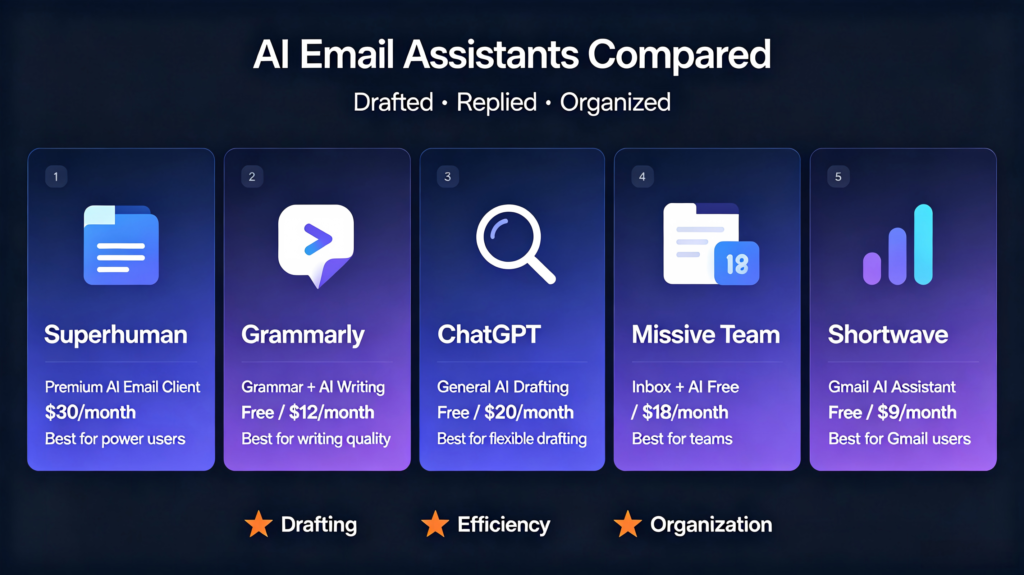
5款AI Email Assistant
| 工具 | 定位 | 价格 |
| Superhuman https://superhuman.com/ | 高端邮件客户端 + AI | $30/月 |
| Grammarly https://www.grammarly.com/ | 语法检查 + AI 写作 | 免费 + Pro $12/月 |
| ChatGPT https://chatgpt.com | 通用 AI 撰写邮件 | 免费 + Plus $20/月 |
| Missive https://missiveapp.com/ | 团队协作邮件 + AI | 免费 + Pro $18/月 |
| Shortwave https://www.shortwave.com/ | Gmail AI 助手 | 免费 + Pro $9/月 |
对比维度 1:邮件撰写能力
Grammarly
- 优点:语法纠错最强,语气调整智能
- 评分:⭐⭐⭐⭐
ChatGPT
- 优点:能从零撰写完整邮件
- 缺点:需要复制粘贴,无集成
- 评分:⭐⭐⭐⭐
Superhuman
- 优点:AI 生成回复建议,一键插入
- 缺点:价格高
- 评分:⭐⭐⭐⭐⭐
对比维度 2:邮件回复效率
Shortwave
- 优点:AI 自动生成回复建议,直接在 Gmail 内
- 缺点:仅支持 Gmail
- 评分:⭐⭐⭐⭐⭐
Missive
- 优点:团队共享邮箱,AI 建议回复
- 缺点:学习成本稍高
- 评分:⭐⭐⭐⭐
对比维度 3:邮件整理能力
Superhuman
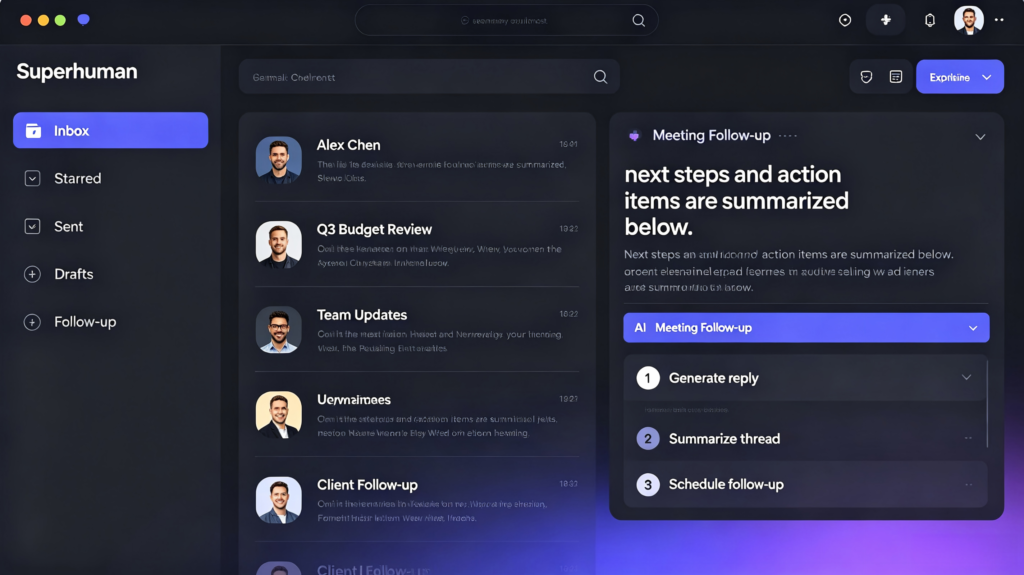
- 分屏模式、提醒、跟踪邮件打开率
- 评分:⭐⭐⭐⭐⭐
Shortwave
- AI 自动总结邮件要点
- 评分:⭐⭐⭐⭐
使用建议
个人用户 → Shortwave(Gmail)或 ChatGPT(免费)
成本低,效率提升明显。
团队协作 → Missive
共享邮箱 + AI 回复,团队效率翻倍。
高端用户 → Superhuman
功能最强,但价格高,适合邮件量大的用户。
总结
AI email assistant 的核心价值是:减少写邮件的时间,让你专注在真正重要的内容上。选一个适合你工作流的,让邮件不再是负担。
Email is the biggest time sink in the workplace. AI email assistants help you draft, reply to, and organize emails, saving you 30–60 minutes every single day.
I have hands-on tested five mainstream AI email assistants to reveal which one delivers the best value. You can also conduct side-by-side comparisons directly via our AI tool comparator on the site.
5 AI Email Assistants Reviewed
表格
| Tool | Positioning | Pricing & Link |
|---|---|---|
| Superhuman | Premium email client with built-in AI | $30/monthhttps://superhuman.com/ |
| Grammarly | Grammar checker + AI writing assistant | Free + Pro $12/monthhttps://www.grammarly.com/ |
| ChatGPT | General-purpose AI for email drafting | Free + Plus $20/monthhttps://chatgpt.com |
| Missive | Team collaborative inbox with AI | Free + Pro $18/monthhttps://missiveapp.com/ |
| Shortwave | Native Gmail AI assistant | Free + Pro $9/monthhttps://www.shortwave.com/ |
Dimension 1: Email Drafting Capability
Grammarly
Pros: Industry-leading grammar correction, intelligent tone adjustment
Rating: ⭐⭐⭐⭐
ChatGPT
Pros: Able to write complete emails from scratch
Cons: Requires copy and paste; no native email integration
Rating: ⭐⭐⭐⭐
Superhuman
Pros: Generates instant reply suggestions, one-click insertion
Cons: Relatively high subscription cost
Rating: ⭐⭐⭐⭐⭐
Dimension 2: Response Efficiency
Shortwave
Pros: Generates AI reply suggestions directly within Gmail
Cons: Exclusive to Gmail accounts
Rating: ⭐⭐⭐⭐⭐
Missive
Pros: Shared team inbox + AI response recommendations
Cons: Slightly steep learning curve
Rating: ⭐⭐⭐⭐
Dimension 3: Email Organization
Superhuman
Split inbox mode, reminders, and email open tracking
Rating: ⭐⭐⭐⭐⭐
Shortwave
AI automatically summarizes key points of email threads
Rating: ⭐⭐⭐⭐
Recommendations
- Individual users: Shortwave (for Gmail) or free-tier ChatGPT. Both options come with low barriers to entry and affordable costs, delivering obvious efficiency improvements for daily inbox management. If you rely heavily on Gmail, Shortwave’s native integration eliminates tedious copying between platforms. For those who use other email providers, ChatGPT remains a flexible fallback for drafting all kinds of correspondence.
- Team collaboration: Missive. Shared inboxes paired with AI replies greatly boost team productivity. It enables teammates to discuss emails internally, assign follow-up tasks, and maintain consistent brand tone across all outgoing messages, which works perfectly for customer support and joint business communication.
- Power users: Superhuman. It offers the most comprehensive feature set, ideal for professionals receiving massive volumes of emails every day. Its streamlined shortcuts, tracking functions and built-in AI tools cut down repetitive operations, making it worth the premium price for anyone whose workflow revolves around email communication.
Wrap-up
The core value of an AI email assistant is cutting down time spent writing emails, allowing you to focus on high-priority tasks that truly drive progress. These tools handle repetitive drafting, tedious rewrites and routine message sorting, so you can reserve your mental energy for negotiation, decision-making and creative work that AI cannot complete. No single solution fits everyone perfectly, so you need to test different platforms based on your email provider, budget and team scale. Select a tool compatible with your workflow, and turn your inbox from a burden into a streamlined workspace that supports long-term efficient work instead of draining your energy every day.